
 Dispatch board
08:00AC tune-up
10:30Duct inspection
13:00Furnace repair
Dispatch your crew
See who’s assigned, where they’re headed and when the customer expects them.

Field service management
From the first service call to the final invoice, keep your jobs, customers and crew on the same page.
 HVAC↗
 Plumbing↗
 Electrical↗
 Appliance repair↗
 Home cleaning↗
 Landscaping↗
 Handyman↗
 Garage doors↗
 Pool service↗
 Pest control↗
 Painting & remodeling↗
 Window cleaning↗
 Carpet cleaning↗
 Chimney services↗
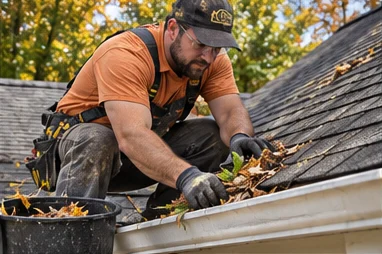 Roofing & gutters↗
 General contracting↗
The platform
See what happens in the office and out in the field, from dispatch through billing.
Dispatch boardSee who’s assigned, where they’re headed and when the customer expects them.
Estimate #1048Put parts and labor on one estimate for the customer.
Job #1048Give the technician the address, scope and service notes.
Customer invoiceBring the completed repair and its charges together.
Office & field
Give the crew a customer address, a clear scope and a time window before they head out.
Walk through a service call →Interactive walkthrough
Follow a cooling repair from the first call to the customer’s invoice.
Sample workspaceJob #1048Schedule
Assign the visit to a technician and set an arrival window.
Industries
Choose an industry to see a typical job and the details your team can keep with it.
See which technician is handling each tune-up, repair or system installation.
Fit urgent leaks around scheduled installs and keep the service address with the job.
Take a panel upgrade from the first estimate through installation and billing.
Connect a diagnostic visit with the return trip to fit a replacement part.
Plan recurring visits and keep each customer’s room checklist and entry instructions with the job.
Schedule regular property visits and estimate seasonal work separately.
Group small repairs into one visit and itemize the work on one invoice.
Book spring replacements and opener installations with equipment details for the technician.
Keep service dates and notes for each pool, from routine maintenance to pump repairs.
Schedule an initial treatment and follow-up visits with notes on the affected areas.
Estimate materials and labor, then schedule the crew for each stage of the project.
Plan around access requirements and keep the quoted scope for each property.
Record room sizes, stain treatments and fabric details when quoting a visit.
Schedule a sweep or inspection, then estimate repairs found during the visit.
Track the inspection, materials estimate and crew visits for each property.
Assign site visits and keep customer estimates, project notes and invoices together.
FAQ
Choose Start free trial to create your account, or sign in to your existing workspace. Add a customer, then schedule your first job.
Yes. The office can schedule and assign a job, and the technician can use its address, visit details and work notes in the field.
Yes. Give the customer a written estimate before the visit and prepare an itemized invoice for the completed work.